 AI Agent Update
400+ Teams chat cons documented — and the Chaos ransomware con still works
Arctic Wolf's analysis, published October 26, documents more than 400 cases of attackers abusing Microsoft Teams external chat to reach victims — a con that ends, in some cases, with Chaos ransomware encrypting machines in under 17 hours.
The News
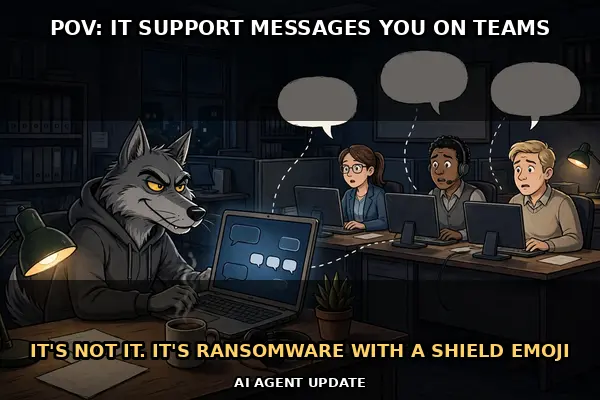
Arctic Wolf has published an expanded analysis of a scam that turns Microsoft Teams against its own users. The analysis, updated in-window on October 26–27, documents more than 400 incidents in which attackers abused Teams external chat — messages from people outside the victim's organisation — as the way in. The pattern is consistent: IT-themed display names, often decorated with shield, tool, or check-mark emoji and increasingly using the victim's own domain or company name, followed by a social-engineering conversation that ends with the victim granting remote access.
The tools involved are the uncomfortable part. Attackers used legitimate remote-access software — Quick Assist, AnyDesk, ScreenConnect, TeamViewer, and Atera — plus Azure Blob Storage and PowerShell, per Arctic Wolf's example chain; Sophos's STAC4749 tracking separately describes persistence via registry keys masquerading as Realtek or WinAudio components. None of that is exotic malware; it is everyday IT software, pointed in the wrong direction by a convincing chat. Attackers also shifted their infrastructure as defenders caught on, moving from throwaway chat tenants to paid domains, about half of them under .top among paid domains, according to the analysis.
The background, tracked by Sophos as cluster STAC4749, shows where this leads. Across dozens of North American organisations from February to June 2026, about half in Canada and 44–45% in the United States, the cluster produced at least three Chaos ransomware deployments — and one victim went from first contact to encryption in under 17 hours. Arctic Wolf's contribution is not a new campaign but a bigger, in-window picture of the same technique: more incidents, the same shape, still working.
Microsoft is the read-through here because Teams is its product, but the lesson is not really about one app. External chat is a feature designed for collaboration with partners and suppliers, and attackers have learned to wear it like a uniform. Disabling external chat, or restricting it to trusted domains, is a policy decision every organisation using Teams can make — and after 400 incidents, the case for making it is hard to argue with.
The most dangerous phishing email is the one that is not an email — it is a Teams message from 'IT'.
Why It Matters
First, this is social engineering beating technology, and that is the hardest kind of attack to fix. There is no patch for a convincing chat message. The tools are legitimate, the domains are paid for, the display names borrow the victim's own company — every technical control sees something that looks normal. The only reliable defence is a human who pauses and checks through a separate channel.
Second, the scale is the signal. One incident is a curiosity; 400 with the same shape is a playbook. Playbooks spread, because attackers copy what works. Organisations that have not seen this yet should assume they will, and the time to restrict external chat is before the first convincing message arrives, not after.
Third, the speed matters more than most readers realise. Under 17 hours from first contact to encryption leaves almost no room for a slow incident response. That timeline is the argument for prevention over detection here: once the attacker is in with a legitimate remote tool, the clock is already running, and it runs fast.
Analyst's Take
The verdict is bearish, and it should be: 400 incidents of the same con working is not a blip, it is a technique that has found a reliable groove. The bearishness is not about Microsoft's stock — Teams is a small part of a giant company — but about the security posture of every organisation that leaves external chat open by default. Attackers do not need to break software when they can simply ask, politely and with a shield emoji, to be let in.
The practical takeaway is refreshingly concrete, which is rare in cybersecurity stories. This is not a zero-day flaw requiring a patch; it is a configuration and training problem. Restrict external chat to trusted domains, teach staff that real IT never cold-calls them on Teams, and treat any unexpected remote-access request as an incident, not a favour. The attackers' advantage is entirely social. Take that away, and the whole chain collapses.
By The Numbers
FAQ
What is the attack, in plain terms?
Attackers start a chat with an employee from outside the company, pretending to be IT support. They use display names that look like help-desk staff — often with shield, tool, or check-mark emoji, and, most recently in some cases, including the victim's own company name — and talk the person into letting them take control of the computer with a remote-access tool. From there they can install ransomware, software that locks files until a ransom is paid.
How many incidents are we talking about?
Arctic Wolf's analysis, updated in-window on October 26–27, documents more than 400 Microsoft Teams external-chat abuse incidents with a consistent pattern. That is the new element: the expanded analysis, not a new campaign. The underlying cluster, tracked by Sophos as STAC4749, ran across dozens of North American organisations from February to June 2026.
What tools do the attackers use?
Legitimate remote-access tools: Quick Assist, AnyDesk, ScreenConnect, TeamViewer, and Atera, plus Azure Blob Storage and PowerShell, with persistence through registry keys disguised as Realtek or WinAudio components. The trick is that none of these tools is malware itself — they are real IT tools, misused. That is why the scam is hard to block with software alone.
How fast can it go wrong?
Sophos documented at least three Chaos ransomware deployments from this cluster, one going from first contact to encryption in under 17 hours. About half the affected organisations were in Canada and about 44–45% in the United States, in the February–June tracking.
What should a reader actually do?
Treat any unexpected IT chat from outside your organisation as suspicious, even if the name looks familiar. Real IT teams do not cold-message employees on Teams asking for remote access. If you get one, contact your IT team through a known channel — not by replying to the chat.
👁
Source: Arctic Wolf